How to Use This Tool
- Enter the stated start date in YYYY-MM-DD format.
- Enter the term in whole calendar months.
- Choose the comparison date for the days-until calculation.
Calculation Method
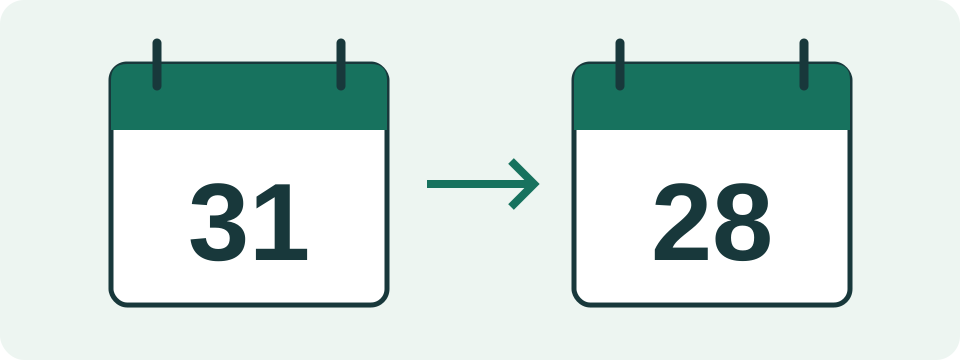
The calculation moves directly to the destination month while retaining the original day where possible. A day that does not exist is clamped to that month's last day. Days until compares calendar dates, not elapsed hours.
Worked Example
Starting on 2026-01-31 and adding one month gives 2026-02-28. Compared with 2026-02-20, that anniversary is eight calendar days away.
Find the Stated Starting Event and the Month Count
Use the start date stated in the issuer's information for that device or record. Purchase, delivery, activation and registration are different events; this form cannot determine which one governs a particular arrangement. Keep the source that identifies the event beside the date. A receipt date is not automatically interchangeable with every other starting event, and example dates are not evidence of your device's record.
The duration field accepts whole calendar months. A documented two-calendar-year interval can be expressed as 24 months for this Gregorian arithmetic. A term written in days cannot automatically be converted by dividing by 30. There is no duration-unit selector, manufacturer-term preset, extension switch or serial-number lookup. A separately stated official end date remains useful source information, rather than something this page replaces with a legal interpretation.
Calendar Months Have Different Lengths
Month addition moves from the original year and month directly to the destination month. It keeps the original day when that day exists there. Otherwise it uses the last valid day of the destination month. This is a declared computational convention supported by date-only addition documentation, not a warranty rule. It differs from adding a fixed 30 days for every month or a fixed 365 days for every year.
From 2028-01-31, adding one month gives 2028-02-29 because 2028 is a leap year. Adding two months directly gives 2028-03-31. Adding one month, saving the clamped February date and adding another month would instead give March 29. The form adds the entered term once from the original date, so it avoids that intermediate loss of the starting day.
| Start date | Calendar months | Reference date |
|---|---|---|
| 2028-01-31 | 1 | 2028-02-29 |
| 2028-01-31 | 2 | 2028-03-31 |
| 2028-02-29 | 12 | 2029-02-28 |
| 2028-01-31 | 0 | 2028-01-31 |
Leap Days and Invalid Dates Are Separate Cases
A valid start of 2028-02-29 plus 12 months gives 2029-02-28, since that destination year has no February 29. A typed 2027-02-29 is invalid at entry and is rejected; the calculator does not quietly repair it to another date. Clamping an impossible destination day after a valid month addition is different from accepting an impossible date supplied by the reader.
The function uses Gregorian leap-year rules, including century cases:1900 has no leap day, while 2000 does. It accepts dates within years 0001 through 9999 and rejects results outside that range. Zero months is valid and returns the starting date. Negative or fractional month counts are invalid. These rules define the supported arithmetic and do not imply any manufacturer offers those durations.
Choose the Comparison Date Explicitly
Days until is the reference date minus the chosen comparison date. For a reference of 2028-02-29 and comparison 2028-02-20, it gives nine calendar days. Comparing with the reference itself gives zero. Comparing with 2028-03-01 gives−1, showing that the reference is one calendar day earlier. The output is signed rather than a coverage-active or coverage-expired badge.
The comparison field is an explicit input, not an automatically updated reminder service. Reset restores the example dates. A shared link can reproduce entered dates but does not schedule background checks. Use the date relevant to the question and keep it with the result; opening the same saved calculation later does not silently replace its comparison date with today's date.
Date-Only Differences Do Not Measure Elapsed Local Hours
The calculation compares civil calendar dates using UTC-safe serial values. It does not subtract local midnight timestamps and divide an elapsed-hour count by 24. A daylight-saving transition can make a local day shorter or longer in hours; that does not change this date-only counting convention. No time of day, timezone selector, business-day schedule or holiday calendar enters the form.
Localized date display can show the same reference in different writing styles. The underlying input remains the unambiguous year-month-day value. Check which day and month a date picker selected before calculating, especially when copying from a differently formatted document. A date shown as a reference is not a promised midnight cutoff or an inclusive final covered day.
Use the Reference to Check a Record, Then Confirm Its Meaning
When a result differs from an official record, check the original event, term unit and stated end date first. Next check month-end handling and any separately documented change to the arrangement. The form has no place to model pauses or independent extension conditions. Do not add an extension to the initial term unless the record actually describes one continuous month interval from that same start.
This page can check calendar arithmetic, preserve an assumption record and compare the anniversary with another date. It cannot decide covered faults, claim eligibility, service charges or applicable rights. An anniversary in the past or future does not resolve those questions. Keep the issuer's stated information alongside the computed reference, and request a correction of that record through the issuer's own channel when necessary.
What the Result Means
The issuer's terms determine the actual start event, end boundary and covered conditions. The displayed anniversary does not identify the inclusive last covered day or decide a claim.
Common Questions
Does One Month Mean 30 Days?
No. Calendar months have different lengths. This tool adds months and handles the destination month's valid days.
Does a Past Anniversary Mean Coverage Is Definitely Over?
No. Extensions, different start events or contractual boundary rules may change coverage. Check the issuer's stated end date.