How to Use This Tool
- Enter the image width and height in pixels.
- Enter the intended physical print width in inches or centimetres.
- Choose a target PPI and compare effective density with required pixel dimensions.
Calculation Method
The print height preserves the image’s aspect ratio. PPI equals pixels divided by inches on each axis. Required pixels equal physical inches multiplied by target PPI, rounded upward.
Worked Example
A 3600 × 2400 image printed 12 inches wide is 8 inches high at 300 PPI. The same pixels at 18 × 12 inches give 200 PPI.
Use Pixels and the Intended Physical Width
Read the image’s actual pixel dimensions from its properties or your editing software. Enter width and height in the orientation that will be printed. A 3600 × 2400 landscape image and a 2400 × 3600 portrait image contain the same number of pixels but produce different physical shapes. A file size in megabytes does not tell you either dimension.
Enter the width of the image itself, not the outside frame or a paper size that includes margins. The calculator preserves the original aspect ratio to derive height. It does not stretch the image to a second independent measurement. That makes a mismatch with a frame visible before a printer silently crops it.
Read PPI as a Relationship, Not a Quality Score
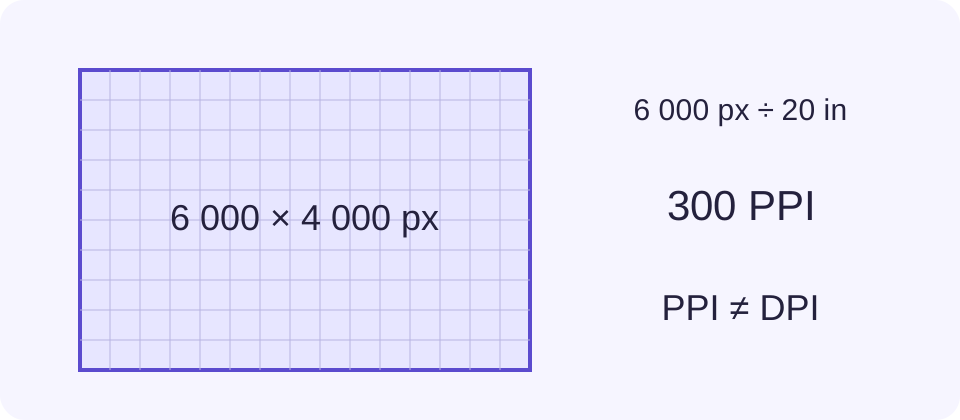
Pixels per inch describes how many image pixels occupy an inch of the intended print. Divide pixel width by print width in inches; do the same for height. Preserving aspect ratio gives matching densities on both axes apart from display rounding. Centimetres convert to inches by dividing by 2.54.
For 3600 × 2400 pixels at 12 inches wide, height is 8 inches. Horizontal density is 3600 ÷ 12 = 300 PPI and vertical density is 2400 ÷ 8 = 300 PPI. The equivalent physical size is 30.48 × 20.32 cm. Those units describe one print, not two resolution settings.
Compare Larger Prints with the Same Pixels
At 18 × 12 inches, the same image has 200 PPI. Enlarging the physical picture spreads the existing pixels over more paper; it does not change the source file. A chosen target of 300 PPI for that size requires 5400 × 3600 pixels. Required whole-pixel dimensions are rounded upward so the arithmetic does not undershoot the selected target.
The target is your requirement, not an automatic recommendation for every printer or viewing distance. Ask the print provider what input density and file specification it expects. Passing the pixel-count target cannot assess camera focus, blur, compression damage, noise, colour handling or the paper and printer combination.
| Source Pixels | Print Size | Effective PPI |
|---|---|---|
| 3600 × 2400 | 12 × 8 in | 300 |
| 3600 × 2400 | 18 × 12 in | 200 |
Separate Image PPI from Printer DPI
Printer DPI describes physical dots produced by the printing system. Image PPI describes the source pixels placed in the print. A printer specification such as 1200 DPI is not an instruction to enter 1200 PPI here. The terms are often mixed in print requests, so confirm what the provider means before preparing a file.
Changing only a resolution tag does not manufacture captured detail. Resampling creates a different pixel grid, but it cannot prove that newly created pixels contain authentic fine detail. This calculator neither modifies metadata nor resamples the image. It shows the relationship so you can make that decision in an editor.
Check Crop, Borders and the Final Proof
A 3:2 image does not naturally fill a 5:4 frame. Fitting it preserves the picture with margins; filling the frame crops some content. This width-based calculation keeps the original ratio, so compare the resulting height with the available image area before ordering. Bleed, trim allowances, binding margins and a frame mount require separate layout measurements.
Keep a copy of the original, apply the intended crop in the editor and rerun the calculation with the remaining pixels. Check a proof at the planned physical size. The megapixel total can help compare source dimensions, but it is not a substitute for that practical inspection.
What the Result Means
DPI is a common search term, but this calculates image PPI, not printer dots. It does not inspect focus, resample an image, add bleed or guarantee print quality.
Common Questions
Does Changing a DPI Tag Add Detail?
No. More real pixels or a different print size are needed to change the pixel-density calculation. Resampling can add pixels without recovering captured detail.
Will This Make a File Fit Every Paper Size?
No. Height follows the original image ratio. A differently shaped frame needs a crop, margins or a redesigned image.