Read Each Mark as a Separate Specification
A hypothetical 128 GB card marked UHS-I, U3, V30 and A2 carries several pieces of information. The capacity tells you a stated data quantity. UHS-I identifies a bus interface. U3 and V30 belong to separate sequential speed-class families. A2 describes application performance. Reading the marks separately is more useful than treating all the numbers as one overall speed score.
Write down the exact marks before comparing a card with a device requirement. A large read-speed figure printed on the package is another specification and may have its own test conditions. None of these labels automatically measures your card today. The class lookup explains a known mark; it does not verify a label's authenticity, benchmark the card or inspect its current contents.
Start with the Device and the Task
Check the manual for the exact device and operating mode. Record the supported capacity family, capacity limits, required class family and any supported-card list. A camera can set different requirements for different recording modes. A reader used for copying files can have different capabilities from the camera used to record them.
Describe the task before choosing which number matters. Continuous video recording needs a suitable sustained writing requirement. Copying finished recordings also involves the card's reading performance and the destination's writing performance. Running applications involves small operations as well as sequential transfers. A resolution label such as 4K does not by itself select one card class for every recording format or camera.
Capacity Family and Capacity Number Have Different Roles
SD, SDHC, SDXC and SDUC identify capacity standards. The size in GB tells you the particular card's stated quantity. A device's support for one family does not follow merely from the connector accepting the card. Check family and capacity support in the host documentation. File-system requirements and the way the device organizes recordings also belong to that compatibility check.
A capacity conversion can express the same bytes in decimal GB or binary GiB. It does not explain current free space by itself. Existing recordings, formatting and device-specific allocations can leave less room than a packaging figure. Read an actual available-space report when planning another recording session; do not use the label as proof that the whole capacity remains empty.
| Family | Capacity | Standard filesystem |
|---|---|---|
| SD | Up to 2 GB | FAT12/FAT16 |
| SDHC | Above 2 GB through 32 GB | FAT32 |
| SDXC | Above 32 GB through 2 TB | exFAT |
| SDUC | Above 2 TB through 128 TB | exFAT |
Speed Classes Describe Minimums Under Defined Conditions
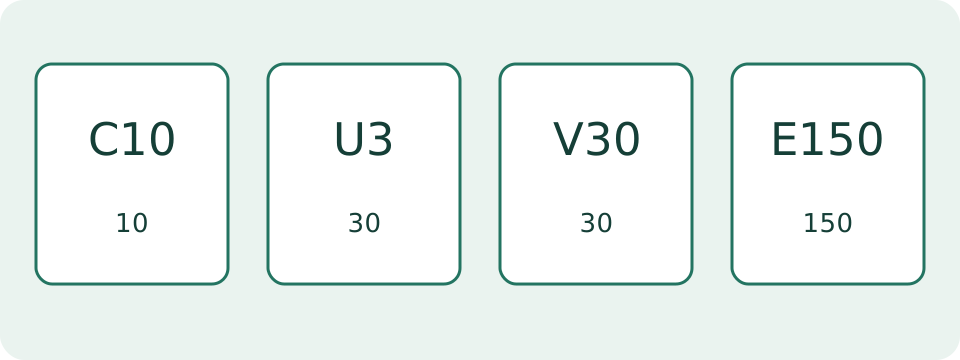
The C, U, V and E families describe sequential performance classes. The class lookup provides the published minimum and relevant operating conditions for each supported mark. V30, for example, denotes a 30 MB/s minimum class. That is a class definition, not a claim that every operation on the card always occurs at exactly 30 MB/s.
Match the class family required by the host, then use an equal or higher class within that family as permitted by its requirements. The SD Association explicitly warns that equal numeric minimums across different families do not establish the same host/card guarantee. A C10, U1 or V10 mark should therefore not be substituted solely because each includes a ten MB/s figure.
| Family | Marks | Minimum MB/s |
|---|---|---|
| Speed Class | C2 / C4 / C6 / C10 | 2 / 4 / 6 / 10 |
| UHS Speed Class | U1 / U3 | 10 / 30 |
| Video Speed Class | V6 / V10 / V30 / V60 / V90 | 6 / 10 / 30 / 60 / 90 |
UHS-I Is Not the Same Mark as U1
The Roman numeral in UHS-I, UHS-II or UHS-III identifies an interface family. U1 and U3 are UHS Speed Class marks. These are separate concepts even though their names look similar. The interface can support a rate above the particular card's sustained performance. A bus capability does not promise the reading or writing speed of an arbitrary file transfer.
The card and host need compatible support for the mode being used. Reader, adapter and computer path matter during copies. SD Express introduces a different interface using PCIe/NVMe; its E classes require the relevant Express operation. Do not expect an Express label to prove Express performance in a legacy reader. Check the actual reader and device specifications together.
Convert Recording Bitrate Before Comparing a Speed
A bitrate in Mbps uses bits; a card rate in MB/s uses bytes. Divide a decimal Mbps figure by eight for its decimal MB/s equivalent. A hypothetical 200 Mbps stream corresponds to 25 MB/s of that stream's data. A 400 Mbps stream corresponds to 50 MB/s. The conversion prevents an eightfold unit mistake.
This arithmetic alone does not select an approved card. Recording can involve additional streams, bursts and operating requirements. Follow the manufacturer's requirement for the selected mode and class family. In particular, 600 Mbps corresponds to 75 MB/s, so a V60 minimum of 60 MB/s does not cover that data rate by arithmetic alone. No universal margin percentage is assumed here.
Estimate Space Independently of the Speed Class
For a constant-rate example, 80 Mbps over 20 minutes produces 12 GB of stream data: ten MB each second for 1,200 seconds. At 200 Mbps, the same interval produces 30 GB. These are independent arithmetic scenarios, not standard sizes for 4K footage. Audio and other data must be included when the chosen rate does not already cover them.
The video-size calculator makes the entered bitrate and duration visible. The storage calculator can instead use file counts and sampled sizes from existing recordings. Both are planning models. They do not establish the capacity currently available, the camera's clip-length limit or the filesystem's permitted file size. Check those separate constraints before treating a space estimate as a recording-time promise.
A1 and A2 Describe Application Workloads
Application Performance Class combines random-access and sequential requirements. Small-operation performance is expressed in IOPS, operations per second, rather than the MB/s of one large file. A large sequential reading figure therefore cannot replace an application-class requirement. A1 and A2 are not a second spelling for Video Speed Class.
A2 includes features such as command queuing and caching, and its specified performance needs suitable host and card support. An A2 card in an unspecified device does not guarantee a particular app's loading time. Software, access pattern and the rest of the device still matter. Use the host's application-storage requirements instead of treating A2 as a universal upgrade for every camera task.
| Class | Random read IOPS | Random write IOPS | Sequential MB/s |
|---|---|---|---|
| A1 | 1500 | 500 | 10 |
| A2 | 4000 | 2000 | 10 |
Reading Speed and Copy Duration Need Their Own Observation
Copying recordings from a card requires reading the source, carrying the data through the reader and writing the destination. An advertised maximum read speed can depend on a particular test setup. A sustained rate from a comparable copy is more useful for planning that task than automatically using the largest figure on the package.
For an independent example, 12 GB at a maintained 50 MB/s takes 240 seconds, or four minutes. A slower destination can extend that duration. Many small files can also behave differently from one large file. The USB transfer calculator accepts a sustained rate and stated limits; it does not negotiate card modes or prove that the destination has completed every write.
Investigate a Mismatch Using Observations
When recording or copying behaves differently from expectations, note the exact device, mode, card marks, available space and any error message. Confirm the required class family and compatible interface. A failed recording is not enough to identify one faulty component. A successful short copy is also not proof of sustained performance for a long recording workload.
The SD Association discusses the effect of fragmentation and the conditions for class performance. Follow the device's documented preparation process rather than using a class number as a repair instruction. Preserve recordings before any operation that erases or reformats a card. This guide provides label interpretation and planning examples; device-specific diagnostics and completion checks still need the actual device and its instructions.