How to Use This Tool
- Find the C, U, V or E mark on the card or its official specification.
- Select that exact class. Keep a separate advertised read speed out of this lookup.
- Check that the device supports the stated class family, card type and bus mode.
Calculation Method
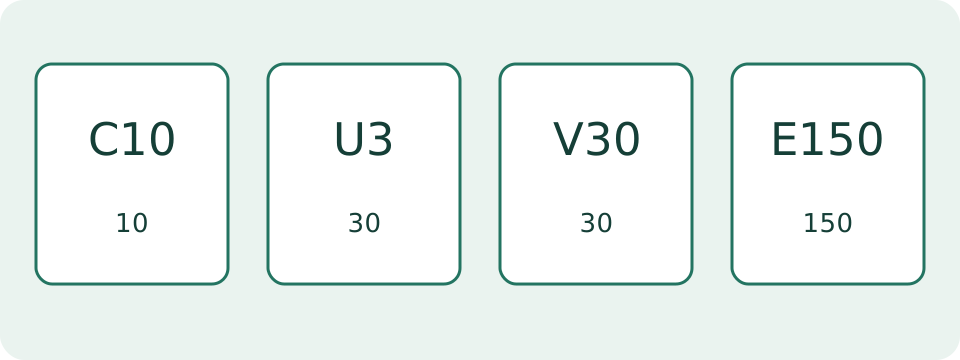
C2, C4, C6 and C10 correspond to 2, 4, 6 and 10 MB/s. U1 and U3 correspond to 10 and 30 MB/s. V6, V10, V30, V60 and V90 use the number in their name. E150, E300, E450 and E600 do the same in SD Express mode.
Worked Example
V30 identifies a 30 MB/s minimum sequential write class under its specified operating conditions. It does not predict a 30 MB/s copy speed on every reader.
Find the Class Mark, Not the Largest Number
A card marked 128 GB, U3, V30 and 170 MB/s carries several different claims. The capacity describes space. U3 and V30 describe two sequential speed-class families. The large MB/s figure is an advertised transfer speed whose read or write meaning belongs in the product specification. Select one actual C, U, V or E class in this lookup. It returns the minimum rate, family and operating-mode limit for that mark.
The page cannot read a card label through the browser or inspect an inserted card. Use the exact product specification when the printing is unclear. A label copied from a retailer's generic product image may belong to another capacity or revision. Keep the card model and the specification together when comparing results.
Read the Class and Family Together
C10, U1 and V10 each correspond to 10 MB/s, but they belong to different protocols. U3 and V30 both correspond to 30 MB/s. That equality is a numerical comparison, not a cross-family compatibility certificate. A host asking for a particular class family needs the matching support described in its manual. A card can carry several class symbols because each makes a separate declaration.
Within a supported family, follow the host's stated minimum and permitted higher classes. Do not remove the letter and compare only the number. The table lists the supported marks; A1, A2, an x multiplier, UHS-I and SDXC are different kinds of labels and are outside this sequential-class selector.
| Mark | Family | MB/s |
|---|---|---|
| C2 | Speed Class | 2 |
| C4 | Speed Class | 4 |
| C6 | Speed Class | 6 |
| C10 | Speed Class | 10 |
| U1 | UHS Speed Class | 10 |
| U3 | UHS Speed Class | 30 |
| V6 | Video Speed Class | 6 |
| V10 | Video Speed Class | 10 |
| V30 | Video Speed Class | 30 |
| V60 | Video Speed Class | 60 |
| V90 | Video Speed Class | 90 |
| E150 | SD Express Speed Class | 150 |
| E300 | SD Express Speed Class | 300 |
| E450 | SD Express Speed Class | 450 |
| E600 | SD Express Speed Class | 600 |
Separate Bus Support from the Class
UHS-I and UHS-II describe bus interfaces. U1 and U3 describe UHS speed classes. The similar names do not mean that U3 requires a UHS-III reader. Read the operating-mode output alongside the class result, then check the host's specification. V60 and V90 need the corresponding UHS-II or faster operation; an ordinary slower connection does not establish their expected performance.
E150, E300, E450 and E600 belong to SD Express. Their rates apply in SD Express operation with its NVMe protocol and defined class conditions. An Express card used through another supported mode cannot be assumed to deliver its E-class minimum there. The lookup does not detect the negotiated bus mode or verify an adapter.
Convert Bitrate Without Declaring Compatibility
A hypothetical recording payload of 160 Mbps is 20 MB/s because eight bits make one byte. That number is lower than a V30 class's 30 MB/s. The calculation is useful for understanding units, but it does not establish that the camera, card and recording mode work together. Audio, container data, writing patterns and the manufacturer's class requirement still matter.
Two recordings with the same resolution can have different bitrates and card requirements. Compression, frame rate and selected recording mode change the task. Use the manual's requirement for the exact mode rather than a universal 4K or 8K rule. This tool has no resolution input and does not recommend a card from resolution alone.
Investigate a Recording Stop with Comparable Evidence
First preserve recordings that matter before changing card settings. Note the camera model, recording mode, card model, printed classes and the exact error. A short successful clip does not demonstrate sustained operation under every condition. Likewise, a slow copy from the card to a computer measures another path and cannot by itself prove that the recording class is false.
Compare the observed behavior with the manufacturer's approved-card instructions and supported formatting workflow. Changing the card, reader and recording mode together makes the cause harder to identify. A class lookup cannot diagnose damaged storage, counterfeit capacity, a write-protect setting or a failing reader. Those problems need their own checks and evidence.
Estimate Transfers from a Measured Rate
A 6 GB decimal file copied at a measured average of 60 MB/s takes 100 seconds in the simple size/rate model. Enter that measured rate in the transfer calculator. Substituting the V60 class number would predict the same arithmetic, but it would attach a recording-class condition to a file-copy path that has not been measured.
Keep read tests and write tests separate, and record units exactly. A value in Mbps is not the same as MB/s. The connected port, reader, destination drive and file set can constrain a copy. No result here certifies the card's advertised maximum speed or promises the time a particular operating system will display.
What the Result Means
This is a reference lookup, not a card benchmark or compatibility certificate. SD Express classes use NVMe operation and their own requirements. Host support, operating mode, recording pattern and card condition affect actual performance. Unrecognized marks remain unsupported.
Common Questions
Are U3 and V30 Interchangeable?
Both show 30 MB/s, but the class protocols differ. Follow the class family required by the device; matching numbers alone do not establish compatibility.
Does a Large MB/s Number Replace the Class Mark?
No. An advertised maximum, often a read speed, differs from a minimum sequential write class.