How to Use This Tool
- Choose one currency for every amount.
- Enter the purchase price, optional setup cost and monthly equipment rental charge.
- Enter the number of months you plan to compare.
Calculation Method
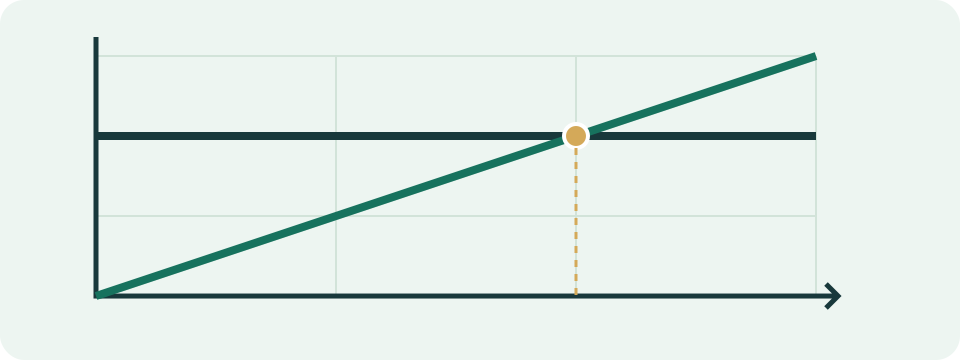
Rental total = monthly charge × months. Buying total = purchase price + setup cost. With a positive rental charge, break-even is the buying total divided by that charge, rounded up to a whole month. Ongoing ownership cost is assumed to be zero.
Worked Example
Example inputs of 108 for purchase, 12 for setup and 10 monthly rental give break-even at 12 months. Over 18 months, rental totals 180 and buying totals 120, a difference of 60.
Choose the Charge That the Equipment Change Would Actually Remove
Use the documented monthly equipment charge for a comparable rental option. Do not subtract an advertised internet price from the whole bill and call the difference modem rental. That difference may include unrelated services, taxes or promotion changes. A separately labelled gateway fee is useful evidence, but still confirm which charge would stop under the exact equipment and service arrangement being compared.
A bundled gateway can have no separate avoidable fee. Entering a guessed fee in that situation creates an unsupported crossover. The calculator has no account connection, bill upload or current provider-price database. Keep the fee source and date with the inputs. The monthly figure is assumed constant across all selected months; the form does not apply promotional periods, future increases or partial billing cycles.
Compare Equivalent Equipment Before Comparing Totals
Purchase price should describe the equipment needed for the same service. Replacing a combined gateway with a standalone modem can leave a separate router requirement. Check the exact provider, supported model, service type and speed tier before interpreting the cost comparison. Xfinity's equipment guidance documents such checks and ownership responsibilities for its own service; it is not approval of any device entered here.
Include a required one-time setup amount in its separate field. A documented combined purchase total can include several required devices, with a note explaining the components. Do not quietly place repeated monthly ownership costs in setup. The model has no ongoing ownership, replacement or resale fields. It assumes those amounts are zero, so it cannot establish equivalent support, features or overall long-term cost.
Read the Difference as a Signed Arithmetic Result
For a hypothetical purchase of 142 and setup of 18, the one-time total is 160 in one selected currency. Rental of 12 per month totals 144 over 12 months, giving rental minus purchase of−16. Over 14 months, rental totals 168 and the difference is 8. Over 24 months, rental totals 288 and the difference is 128. These are invented input scenarios, not current equipment prices.
A positive difference means the entered rental total is larger than the entered purchase total. A negative value means it is smaller. Zero means equal totals. The sign does not decide which equipment is suitable or represent guaranteed savings. Keep the comparison horizon beside the difference: a result over 24 months describes a different entered duration from the 12-month result.
| Comparison months | Purchase/setup total | Rental total | Rental minus purchase |
|---|---|---|---|
| 12 | 160 | 144 | −16 |
| 14 | 160 | 168 | 8 |
| 24 | 160 | 288 | 128 |
Distinguish the Crossover Month from a Strict Advantage
The raw crossover in that example is 160 ÷ 12, about 13.333 months. The displayed whole-month crossover is 14, the first whole month at which accumulated rental is at least the purchase total. It does not reproduce invoice timing or prorated charges. The crossover is computed from the costs independently of the selected comparison horizon; a short horizon may end before it.
With purchase and setup totalling 120 and rental 10, month 12 is exact equality. Month 13 is the first whole-month rental total strictly larger than 120. Calling month 12 guaranteed profit would misread the output. Likewise, reaching a mathematical crossover does not mean an owned device will remain supported or need no replacement for that long. Those conditions stay outside the arithmetic.
Handle Zero Fees and One-Currency Inputs
A positive purchase total against rental of zero has no finite crossover in this model. A zero purchase total has crossover month zero; when rental is also zero, the totals remain equal. Zero comparison months leaves rental at zero and does not erase the purchase total. These valid edge cases explain why a result can be absent or immediate without indicating a calculator fault.
USD, GBP, EUR and BRL are labels, with localized display formatting. Selecting another currency does not convert the values. Enter every amount in the same currency and consistent cost basis. Costs must be finite and nonnegative; comparison months must be a whole nonnegative count. Setup may be left blank to exclude it. Do not enter thousands separators or hide unknown costs behind example values.
Keep Excluded Costs and Compatibility Questions Visible
Record excluded replacement, support, resale, taxes and bundle changes separately. Adding a known one-time purchase amount is different from modelling an uncertain future fee. To compare a fee change, use a clearly labelled separate scenario; one constant monthly field cannot represent every stage of a changing bill. Avoid adding scenario differences together without checking which months and purchase amounts have already been counted.
Provider approval, return handling and ownership updates need the provider's current instructions. A speed result alone does not establish modem approval or all gateway features. The separate internet speed test observes a browser-to-server path under its stated limits; it does not perform equipment certification. Keep those technical questions separate from the two cost totals and retain the original assumptions with any shared result.
What the Result Means
Replacement, resale, support, tax and bundle changes are outside this model. Enter comparable equipment costs and check your provider's requirements separately.
Common Questions
What Happens When Rental Costs Zero?
A positive purchase cost has no finite break-even against free rental in this model. Bundled services can also change the comparison.
Does Changing the Currency Convert the Prices?
No. USD, GBP, EUR and BRL change the label only. Enter all amounts in the selected currency.