How to Use This Tool
- Use readings for the same direction, either download or upload, in Mbps. Keep the device, network and test service consistent.
- Enter a positive baseline without the VPN and the reading with the VPN. A VPN reading above the baseline is valid.
- Read the difference alongside both original values. Repeat comparable trials before treating one pair as a pattern.
Calculation Method
Speed difference = VPN reading − baseline. Relative change = difference ÷ baseline × 100. Retained speed = VPN reading ÷ baseline × 100. A negative change is a reduction in this pair; a positive change is an increase.
Worked Example
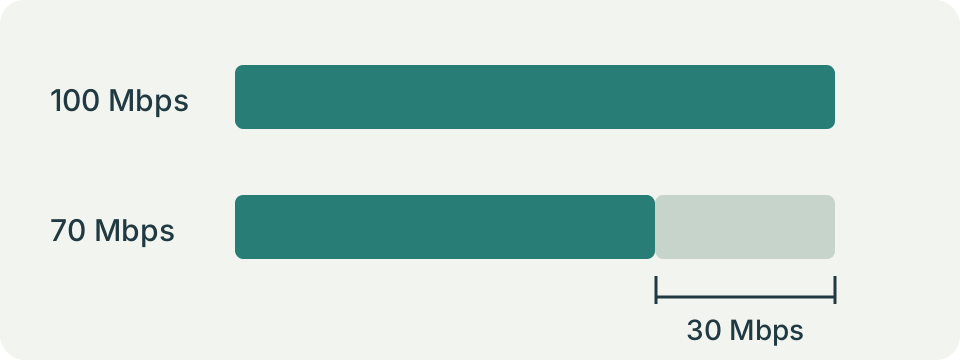
A baseline of 120 Mbps and VPN reading of 90 Mbps give −30 Mbps, −25% change and 75% retained. With the same baseline and a 150 Mbps VPN reading, change is +25% and retained speed is 125%.
Choose Comparable Readings
Use two download readings or two upload readings from the same test service. Keep the device, connection type and test destination unchanged where the service allows it. A phone on Wi-Fi and a laptop on Ethernet are different experiments. So are a local test server and a distant one. Record the original readings before entering them; the calculator does not preserve a history of trials.
Separate a measured baseline from a plan's advertised speed. The baseline must be a rate actually observed without the VPN, greater than zero. A plan labelled 300 Mbps does not establish that this particular device reached 300 Mbps during the comparison.
Keep Bits and Bytes Consistent
Both inputs use Mbps, meaning millions of bits per second. A download application displaying 12.5 MB/s is showing millions of bytes per second: multiply that decimal value by eight to obtain 100 Mbps. MiB/s uses a different byte multiplier. Convert that unit explicitly rather than treating every symbol containing MB as interchangeable.
Enter an ordinary decimal value without a thousands separator. The localized controls accept the edition's decimal notation. Do not put a percent loss into the second input; it expects a speed. Comparing 100 Mbps against an unconverted 12.5 MB/s would manufacture a reduction that the actual readings do not show.
Read the Three Results Together
With a baseline of 120 Mbps and a VPN reading of 90 Mbps, the absolute difference is −30 Mbps. Dividing that difference by 120 gives −25%. The remaining speed is 90 divided by 120, or 75%. These describe the same pair, with different units and reference points. A result of −25% means a quarter below the baseline, not that only a quarter remains.
A 150 Mbps VPN reading against the same baseline produces +30 Mbps, +25% and 125% retained. The calculator allows gains. It does not replace them with zero or assert that the VPN must always reduce throughput.
| Without VPN (Mbps) | With VPN (Mbps) | Change (%) | Retained (%) |
|---|---|---|---|
| 120 | 90 | −25 | 75 |
| 120 | 150 | +25 | 125 |
| 120 | 0 | −100 | 0 |
Repeat the Pair Rather Than Selecting the Best Trial
Run several comparable trials with the VPN off and on, close enough in time to reduce changes in demand. Note the VPN exit location, test server, connection method and competing traffic. Alternating the order can expose a connection that simply improved or worsened during the session. Keep unusually poor readings in the notes until their cause is understood.
The tool compares one pair at a time. It does not calculate a median, confidence interval or provider ranking. A repeated pattern is more useful than the largest displayed speed, but repeated tests still do not isolate every variable. Testing itself consumes data and can interrupt other transfers.
Investigate a Large Change
First repeat the baseline. A slow result without the VPN suggests that the local connection, test destination or other traffic deserves attention too. Pause an optional background upload through its normal controls and repeat the same trial. Avoid changing router settings, VPN protocol and test server together, because the next result would not identify which change mattered.
Then compare a second VPN location through the application's supported selector, documenting the new destination. A different route, service load or device workload can change throughput. This arithmetic cannot separate encryption cost from those effects. It also says nothing about the provider's privacy practices or the security of a connection.
Apply the Reading to the Task
A lower rate matters differently for a small attachment and a large backup. Use a measured upload rate for sending files and a measured download rate for receiving them. In the transfer calculator, a rate already measured at the application should not receive an automatic second allowance for overhead. Document any additional planning allowance as a separate assumption.
For a gaming complaint, speed alone may miss the issue. Delay variation, interruptions and a game's own server path need separate observations. A higher VPN throughput reading does not prove lower latency. Keep the original task and the measured direction beside the percentage so the result answers a practical question.
Zero Readings and Invalid Input
A VPN reading of zero is accepted and yields −100% change with 0% retained. Use it only to represent an observed zero throughput; a cancelled test or unavailable service is a failed measurement, not a measured zero. A zero baseline cannot support a relative comparison, so the tool rejects it along with negative or nonfinite values. Reset restores the example inputs and does not start a network test.
The calculation runs on entered numbers in this page. It does not contact a VPN, inspect its protocol or discover the active exit server. Keep credentials and connection secrets out of test notes shared for support.
What the Result Means
Time, routing, server load, Wi-Fi and background transfers can change either reading. A paired observation cannot isolate encryption overhead, prove the VPN caused the difference or predict another server’s performance.
Common Questions
Is Retained Speed Above 100% an Error?
No. It means the entered VPN reading exceeded the baseline. Check the trial conditions.
Can I Compare Mbps with MB/s?
Convert both readings to the same unit first. Mixing bits and bytes invalidates the comparison.