How to Use This Tool
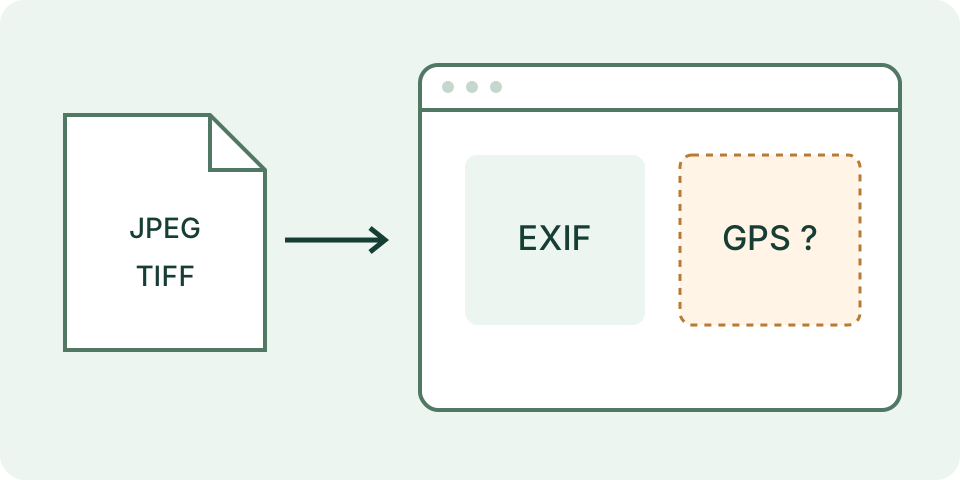
- Choose a local JPEG or TIFF within the 20 MiB limit, then start reading its metadata. Other formats are outside this viewer’s scope.
- Review available dimensions, capture-time text, orientation, exposure, aperture, ISO, focal length, camera make/model and copyright metadata. Missing fields remain missing.
- To inspect saved location, enable the GPS checkbox and read again. Coordinates are shown as text; no online map or remote image request is made.
Calculation Method
A browser-loaded metadata parser reads selected embedded tags from the file. DateTimeOriginal is retained as recorded rather than converted into an assumed timezone. Dimensions and orientation describe stored information, not a promise about every viewer’s display. The copyright field is a saved claim, not verification of ownership or permission.
Worked Example
A hypothetical photo contains DateTimeOriginal 2026:10:07 08:30:00 but no verified offset. The result can show that recorded camera time; it cannot identify the UTC instant from that field alone. Missing GPS does not prove the photo was never geotagged elsewhere.
Choose a Supported Original File
Select a JPEG or TIFF file, then use the read action. Savvy Toolkit checks its starting bytes rather than trusting the filename alone. Renaming a PNG to .jpg does not make it supported. The current limit is 20 MiB, or 20,971,520 bytes; a larger file is rejected before metadata parsing. This page does not accept every camera raw format, HEIC or every image type supported elsewhere by the underlying parsing library.
Use the original file relevant to the task. A downloaded preview, screenshot or exported copy can contain a different metadata set from its source. The reader operates locally in this browser and does not upload the selected image for analysis. Loading the website still makes ordinary network requests for the page and its assets. Local reading is a specific data-flow property, not a promise about every extension, browser setting or later action taken with the file.
Decide on Location Before Reading
The GPS option starts unchecked. Selecting another file resets that choice, clears the earlier result and asks for a new read. Changing the GPS checkbox also clears the result; read again to apply the new choice. Coordinates are not silently carried over from a previous file. The optional output contains numeric latitude and longitude when valid values can be obtained, not a map, street address or device-position measurement.
Latitude must be finite and within −90 to 90, and longitude within −180 to 180. Zero is a valid coordinate, not evidence that a field is missing. Coordinates can be edited or inherited from a source file, so their presence does not prove where the scene was captured. A missing coordinate result likewise does not certify that all location-related information is absent from the file. Do not post a result table containing sensitive values merely because the reader ran locally.
Read the Selected Fields in Context
The output is a selected-field viewer. It can show Make, Model, width and height tags, DateTimeOriginal, Orientation, ExposureTime, FNumber, ISO, FocalLength and Copyright when those supported values are present. Numeric values must be finite; text values are limited to 500 characters for display. Other metadata may remain in the file without appearing here. No output for the selected keys is not a complete metadata inventory or proof that the image contains no private information.
A camera name is a recorded string, not hardware detected through the browser. ExposureTime may be a numeric seconds value: 0.008 seconds corresponds to 1/125 second. FNumber and ISO describe recorded exposure settings, not an evaluation of image quality. FocalLength does not automatically become a 35 mm equivalent. Keep the field name and units with a copied value instead of turning a raw number into an unsupported claim about the photograph.
Separate Stored Tags from Displayed Appearance
Width and height can appear under different supported tags. They are recorded values and this reader does not create a rotated image preview or reconcile every possible disagreement. Orientation is shown as its metadata value, not a newly applied rotation. An orientation code of 6 conventionally describes a rotation for display; it does not mean the stored width and height have already been swapped by this page. Compare the image in an appropriate viewer when orientation matters to an export.
DateTimeOriginal is displayed as the available value. Do not assume that an original date string proves UTC, contains an offset or matches the current computer's timezone. A camera clock can be wrong and an export can preserve or modify the value. Capture time and file modification time are different observations. This tool does not verify provenance, establish authorship, authenticate an image or validate C2PA credentials. Metadata alone cannot settle those questions.
Interpret Empty and Failed Reads Honestly
A recognized file signature is only the first check. A damaged file, unsupported metadata layout or parsing failure can still prevent a useful result. An empty selected-field result differs from a successful full-file privacy audit, while an error differs from a confirmation that no metadata exists. Preserve the original and compare with a specialist reader when another metadata namespace or supported format is required. The page does not repair the file or synthesize missing tags.
Reset clears the selection and displayed results. It prevents a previous asynchronous read from replacing a newer result, but is not a secure memory-erasure guarantee for the browser. No removal or rewritten-file download is offered. To share a cleaned copy, use a separate metadata-removal workflow, preserve the original and inspect the actual resulting file. The local file-checks guide explains how size, selected tags and privacy review answer different questions without treating a sparse table as an all-clear.
What the Result Means
This is a selected-tag viewer, not complete forensic analysis, a metadata remover or authenticity verification. Camera clocks and editable tags can be wrong. Exports or messaging services may remove metadata. Corrupt files, unsupported structures and absent tags need separate states. Reading does not change the original file, and hidden GPS does not remove it from a file shared elsewhere.
Common Questions
Does No EXIF Mean the Image Is Fake?
No. Metadata may be absent or removed during export. This viewer does not judge authenticity.
Does the Capture Time Always Include a Timezone?
No. A recorded date/time without a verified offset remains timezone-unknown; the browser’s timezone must not be substituted.